Information is Beautiful Longlisted 🏆
Oct 2024 — Dec 2024
Data Visualization | Summative Data Analysis | Interaction Design
Figma | Illustrator | Unity 3D | Blender | Meta Quest
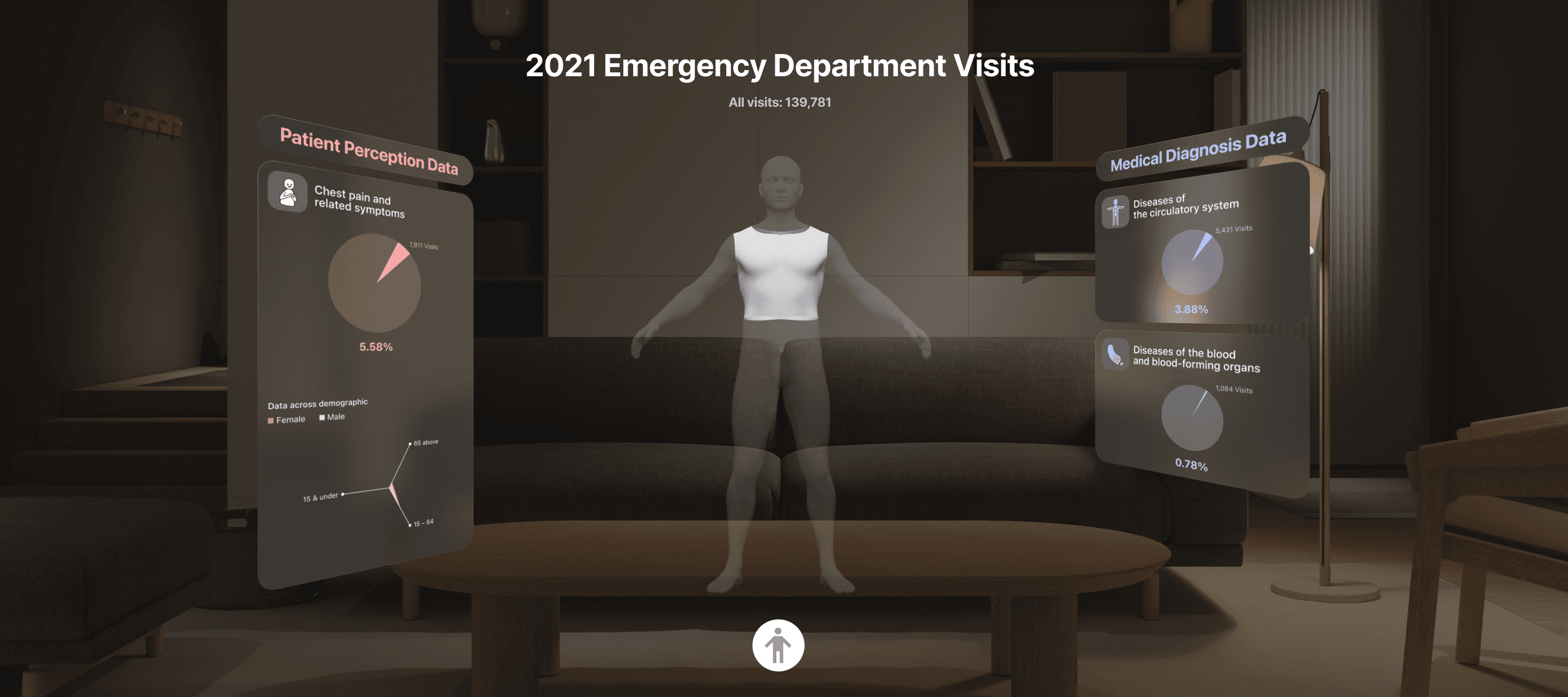
This VR data visualization project analyzes data from the 2021 National Hospital Ambulatory Medical Care Survey Summary, which includes 16,107 electronically submitted patient record forms. It focuses on the reasons patients reported for seeking emergency care and the diagnoses provided by medical teams. The interactive VR experiences aims to provide the general public insights into how patients and medical teams perceive health crises from different perspectives.
The Problem
The emergency department visit data showed a communication challenge: patient and medical teams often use different language to describe the same health events.
The Design
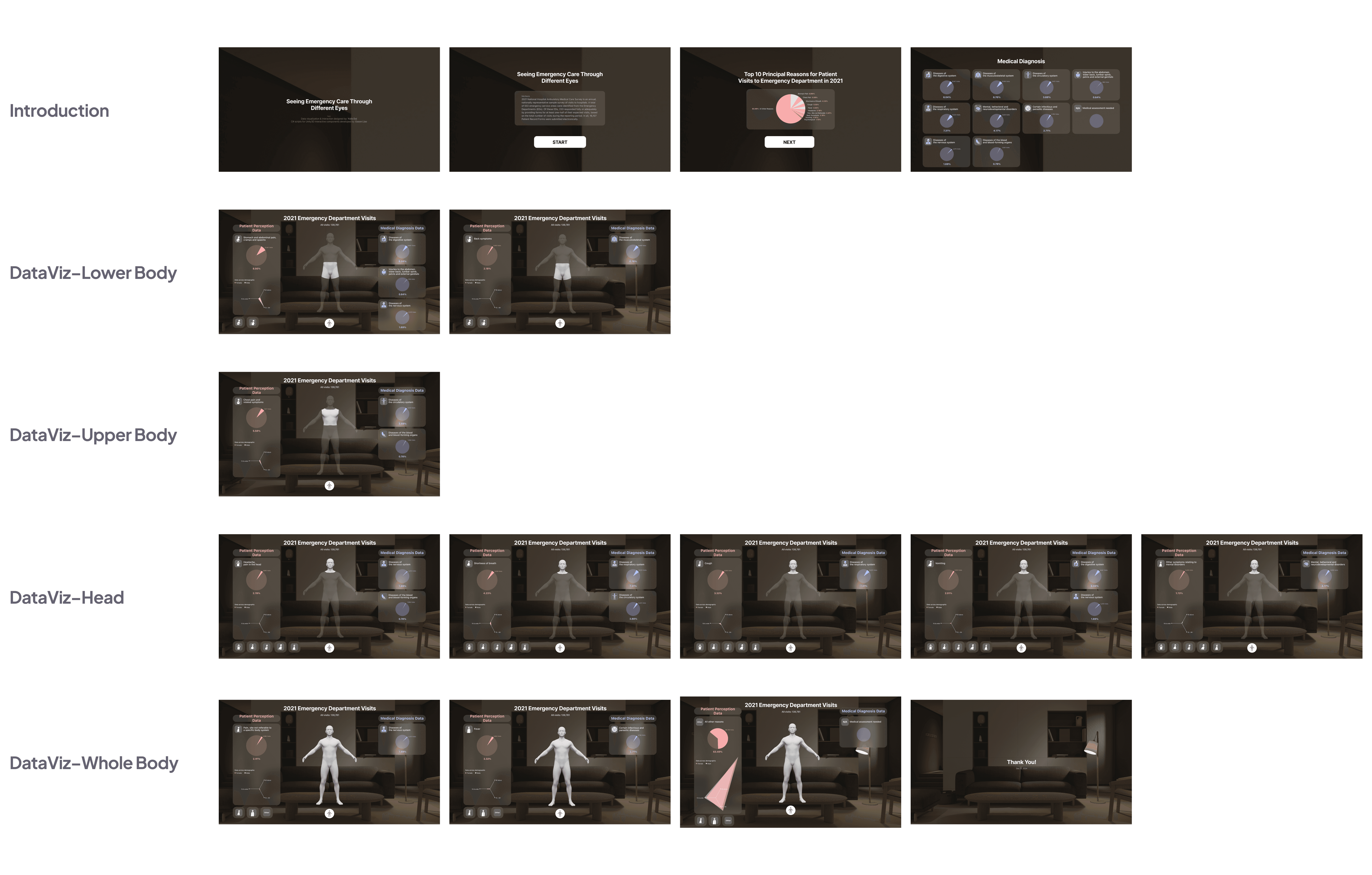
Emergency Care: Patient & Provider View is an immersive VR experience designed to shed light on the communication differences between patients and medical team facing a health emergency.
Using a VR headset and hand controller, viewers can interact with a 3D human model. By pointing and clicking on different parts of the model, they can explore a dual data visualization:
Left Side – Presents patient-reported symptoms and their percentage, along with patient demographic distribution.
Right Side – Shows medical teams' diagnostic language and corresponding percentages for the same health issue.
The Process
Raw Data Process
From the raw data, I focused on the top 10 reasons patients visited the ED. I then analyzed the data based on the demographic distribution of those patients. Through extensive symptom research, I identified corresponding diagnoses from the diagnosis data that might apply to each complaint.
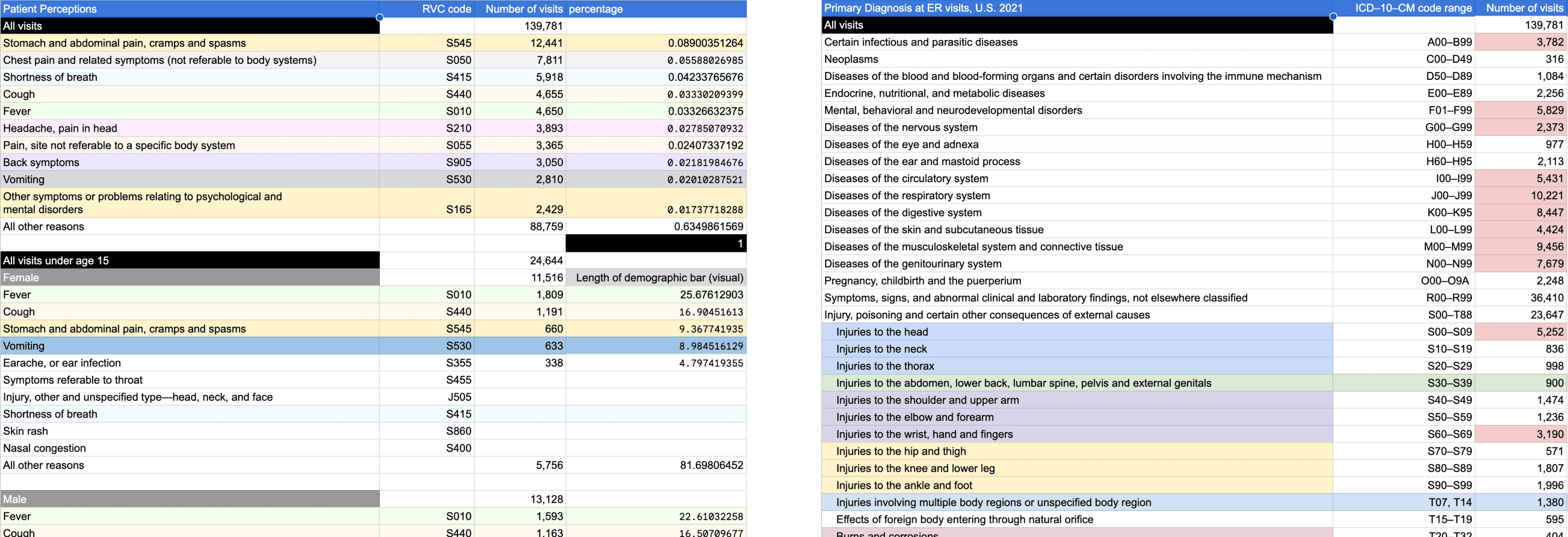
View data analysis in Google Sheets
Data Interaction
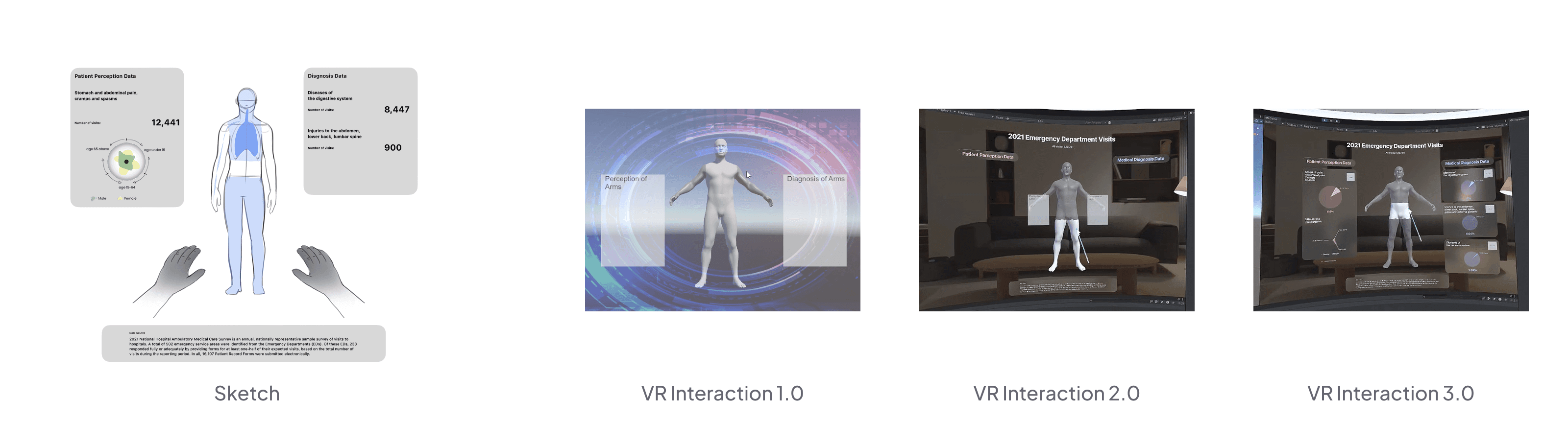
In my initial interaction design, I visualized patient perception data and medical diagnosis data using different shapes on a human figure. However, this approach created visual confusion for users. To simplify the interaction, I made the human figure model a clickable trigger: when users click on a specific part of the model, both patient perception and diagnosis data are displayed simultaneously.
To incorporate secondary information—patient perception data based on demographics—I sketched an idea using shape distribution to show the number of ED visits for each age group, with colors differentiating gender.
Visual Update
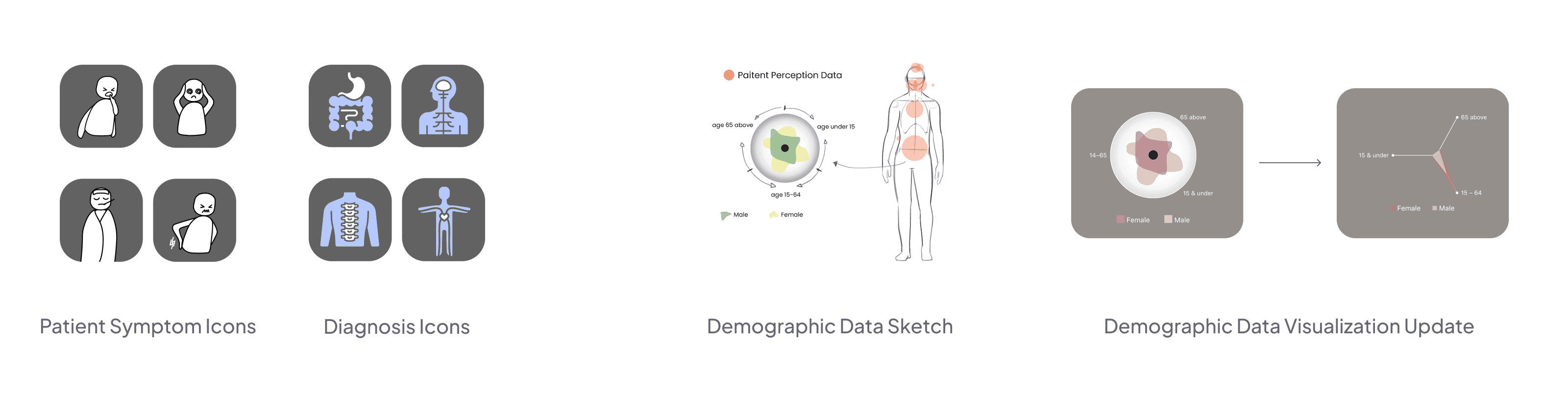
Based on my data, I sketched out icons that represent the top 10 reasons patients visit the ED and searched for stock icons that accurately represent organs and body systems.
When I applied my data to the demographic data sketch (a circular design with shape distribution), I realized that the shape lacked a structure to effectively display the data. Therefore, I refined my sketch and designed a tripod spidergram to represent the three age groups. I then applied each age group’s data, creating triangular shapes to display data distribution, and used colors to differentiate gender.
Interaction Update
Following Ben Shneiderman's "Visual Information Seeking Mantra"—overview first, zoom and filter, then details-on-demand—I refined the interaction design of the VR experience by adding an introductory start page and data overview. This helps users quickly understand the data source and grasp the top 10 reasons for ED visits in 2021.
Got feedback? Let me know! 🚑 🚑 🚑